The hum of your refrigerator cutting out, the sudden silence of the air conditioning, the dark of a widespread blackout – these are moments no homeowner wants to experience. Fortunately, sizing and installation of solar backup systems offers a powerful shield against grid instability, giving you peace of mind and true energy independence. But how do you determine what you actually need? And what does the installation process really entail?
Navigating the world of solar backup can feel like learning a new language. You're balancing daily energy needs with battery capacity, solar production, and utility regulations. This guide cuts through the complexity, arming you with the knowledge to make informed decisions and build a robust, reliable energy fortress for your home.
At a Glance: Your Solar Backup Blueprint
- Start with Your Needs: Identify essential appliances you absolutely need to power during an outage.
- Measure Your Usage: Gather 12 months of electricity bills to understand your average daily kWh consumption.
- Size Your Solar Array First: Determine the solar panel system size needed to generate your desired energy, accounting for sun hours and inefficiencies.
- Size Your Battery System Second: Based on your essential loads and desired backup duration (e.g., 1-3 days), choose battery capacity.
- Understand Battery Specs: Compare battery options by capacity, power output, chemistry, efficiency, and warranty.
- Plan for Installation: Expect potential main panel upgrades and select a protected, accessible location for batteries.
- Consult the Pros: Always work with certified experts for design, permitting, and installation to ensure safety and compliance.
Why Your Home Needs a Solar Backup System
Beyond simply keeping the lights on when the grid goes dark, a well-designed solar backup system offers a suite of benefits that extend far beyond emergency preparedness. It's an investment in your home's resilience and your financial future.
Here's why more homeowners are making the switch:
- Uninterrupted Power During Outages: This is the most obvious and often primary driver. Solar backup ensures your critical appliances – refrigerators, medical devices, internet, lighting – continue to operate seamlessly when the utility grid fails.
- Energy Independence & Reduced Grid Reliance: Generate and store your own power. This lessens your dependence on fluctuating grid prices and gives you a sense of control over your home's energy future.
- Time-of-Use (TOU) Optimization: Many utilities charge higher electricity rates during peak demand hours (e.g., evenings). A battery system allows you to store cheaper solar energy generated during the day and discharge it during these expensive TOU periods, significantly cutting your electricity bills.
- Maximize Solar Value: Instead of exporting excess solar energy back to the grid for minimal (or no) credit, you can store it in your battery for later use, ensuring you get the most out of every kilowatt-hour your panels produce.
- Environmental Impact: Reduce your carbon footprint by relying more on clean, renewable energy.
- Increased Home Value: Homes with solar panels and battery storage often command higher resale values, attracting environmentally conscious buyers.
The Two Halves of the Equation: Solar Array vs. Battery System
When we talk about "solar backup systems," we're really talking about two interconnected, yet distinct, components:
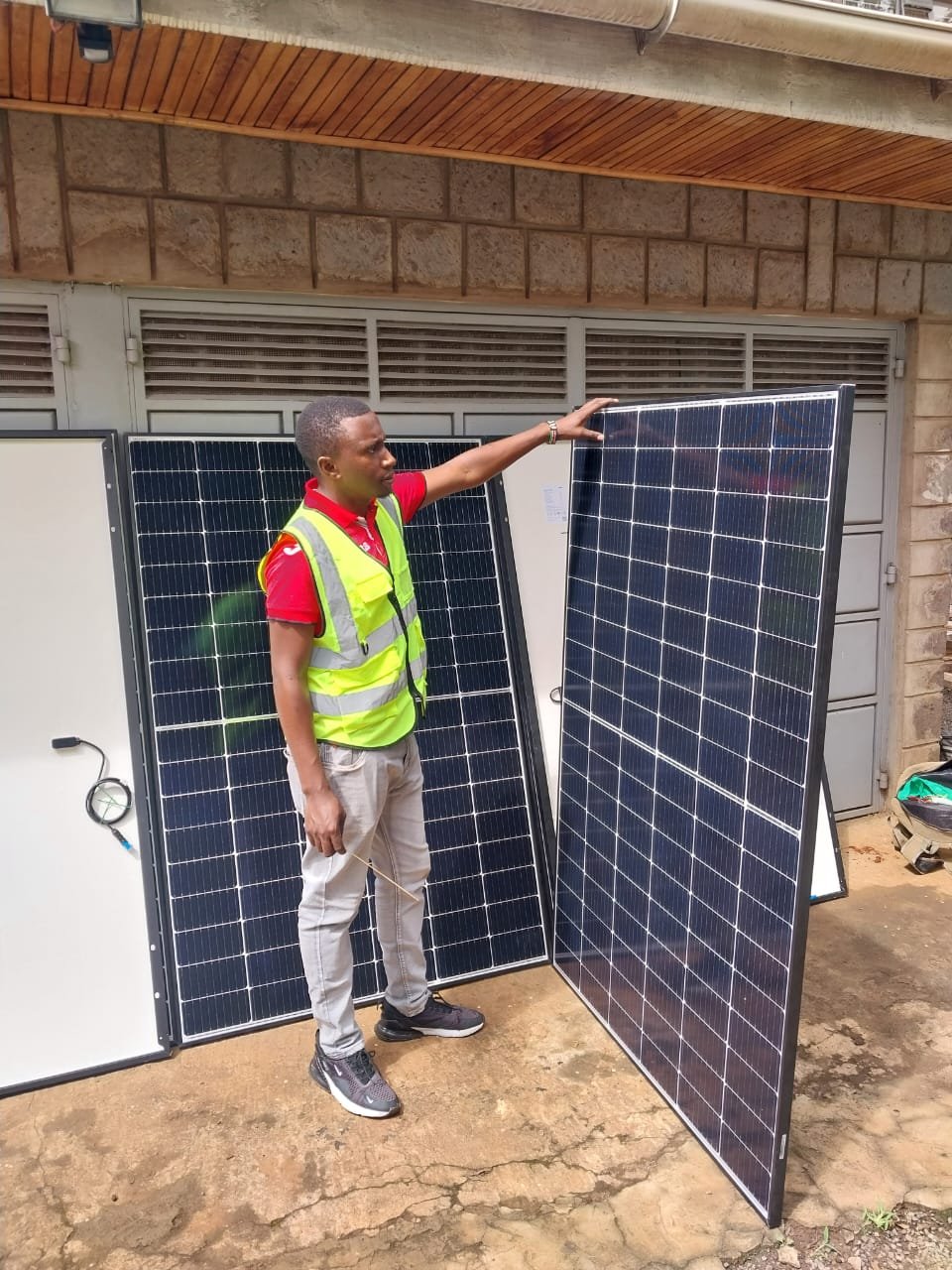
- The Solar Array: This is your power generator – the solar panels on your roof that convert sunlight into electricity. Its size determines how much energy you can produce.
- The Battery System: This is your energy reservoir – the batteries that store excess solar power (or grid power, if configured) for later use, especially during outages or peak demand times. Its size determines how much energy you can store and for how long.
For a true backup system, both need to be carefully sized. The solar array needs to be large enough to both power your home and recharge your batteries, while the batteries need to be sufficient to cover your essential loads for your desired duration.
Let's break down how to size each.
Step-by-Step: Sizing Your Solar Array (The Power Producer)
Even if your primary goal is backup, your solar panels are the engine of the entire system. Sizing them correctly ensures you generate enough power to meet your daily needs and keep your batteries topped off.
Here’s how to calculate the ideal size for your solar array:
1. Determine Your Average Monthly kWh Usage
Your electricity bills are your best friend here. Collect at least 12 months' worth of bills to get a full picture of your energy consumption throughout the year. Energy usage often spikes in summer (air conditioning) and winter (heating).
- Action: Sum up the total kWh consumed over 12 months, then divide by 12.
- Example: If your bills show you used 10,800 kWh last year, your average monthly usage is 10,800 kWh / 12 months = 900 kWh/month. (This is roughly the average for an American home).
2. Calculate Your Daily kWh Usage
Now, convert that monthly average into a daily figure.
- Action: Divide your average monthly kWh usage by 30 days.
- Example: 900 kWh/month / 30 days = 30 kWh per day.
This 30 kWh is your daily energy target – what your solar array needs to generate.
3. Estimate Sunlight Availability for Your Location
Not all sunshine is created equal. "Peak sun hours" refer to the intensity and duration of direct sunlight your panels receive. This varies significantly by geographic location, season, and even specific roof orientation.
- Tool: Use resources like the National Renewable Energy Laboratory (NREL) maps to find the average daily peak sun hours for your specific location.
- Action: Divide your daily kWh target by your location's average daily sun hours.
- Example: Let's say you live in Anaheim, CA, which averages about 5 peak sun hours per day. 30 kWh per day / 5 sun hours = 6 kW solar array.
This 6 kW is your initial array size before accounting for real-world losses.
4. Account for System Inefficiencies and Panel Degradation
No system is 100% efficient. Factors like temperature, wiring losses, dust, and inverter inefficiencies can reduce output. Solar panels also naturally degrade, losing a small percentage of their efficiency each year (e.g., 0.8% annually, leading to about 20% degradation over 25 years).
- Action: Budget an extra 20% capacity to ensure your system performs as expected over its lifespan.
- Calculation: Solar array size x 1.2
- Example: 6 kW x 1.2 = 7.2 kW solar array.
This 7.2 kW is a more realistic target for your actual solar panel system.
5. Decide on Full or Partial Energy Offset
Do you want to power 100% of your home with solar, or just a portion? Most homeowners aim for a full offset to maximize savings and independence, but a partial offset can be a good starting point for budget-conscious projects.
- Action: If you desire a partial offset, multiply your array size by the desired percentage.
- Example: If you want to offset 50% of your usage: 7.2 kW array x 0.5 = 3.6 kW solar array. For this guide, we'll assume a 100% offset, sticking with the 7.2 kW.
6. Determine the Number of Solar Panels Needed
Finally, translate that kW rating into the number of physical panels you'll need. Panel wattage varies, typically ranging from 300 to 450 watts per panel.
- Action: Divide your final array size (in watts) by the wattage of your chosen solar panels. (Remember: 1 kW = 1,000 watts).
- Example: 7.2 kW (7,200 watts) / 400 watts (per panel) = 18 panels.
This gives you a clear target for the size of your solar array, which is the first crucial component of your backup system.
Beyond Production: Grid-Tie Considerations That Impact Backup
Even with backup, your solar system will likely remain connected to the grid. Understanding these factors helps optimize your overall energy strategy:
- Net Metering Programs: Research your utility's net metering policy. This program dictates how you are credited for excess solar energy sent back to the grid. Some programs offer full retail credit, while others provide wholesale rates or limited buyback. How favorable your net metering is can influence how much you lean on batteries for self-consumption versus exporting.
- Time-of-Use (TOU) Rates: If your utility charges higher rates during peak demand hours (e.g., 5-9 PM), a battery system becomes even more valuable. While south-facing panels typically generate the most overall kWh, panels oriented to the west can be strategically placed to maximize generation during these higher-cost evening hours, further complementing your battery's ability to discharge during peak rates.
Step-by-Step: Sizing Your Solar Battery System (The Backup Powerhouse)
Now that you know how much power your panels can produce, it's time to figure out how much of that power you need to store. Sizing a solar battery system isn't just about kWh capacity; it's also about power output and how long you need that backup to last.
1. Understand Your Energy Usage During an Outage
This is where you decide what "backup" truly means for your home. You need to differentiate between your typical daily usage and your essential usage during an emergency.
- Key Metrics:
- Monthly kWh usage: (Already determined from solar sizing).
- Peak usage times: When do you typically use the most power? (Important for TOU optimization).
- Essential loads: This is critical. List everything you cannot do without during an outage. Think LED lights, refrigerator, Wi-Fi router, cell phone charging, maybe a fan or specific medical equipment. High-energy appliances like AC, electric stoves, electric water heaters, or EV chargers are typically not considered essential for partial backup due to their massive power draw.
- Tools: Smart energy meters or apps that connect to your main electrical panel can provide real-time, circuit-level data, helping you identify which loads consume the most power.
2. Decide What to Back Up: Whole Home vs. Partial Home
This decision profoundly impacts your battery system's size and cost.
- Partial Home Backup: This is the most common and cost-effective approach. You select a specific set of essential circuits (e.g., kitchen outlets, living room lights, master bedroom, internet). This typically requires 10-15 kWh of storage capacity. By focusing on critical loads, you extend your backup duration and reduce initial investment.
- Scenario Example (Average Home):
- 10 kWh Battery: Can comfortably support LED lights, refrigerator, microwave, fans, TV, and internet for about one day.
- 20 kWh Battery: Adds a dishwasher and garage door opener to the above list, extending backup duration or supporting more usage.
- Whole Home Backup: This means powering everything in your house, including high-energy appliances like central AC, electric vehicle chargers, or well pumps. This requires a significantly larger battery system, often 20 kWh or more, and frequently multiple battery units to handle the high "inrush current" (the surge of power needed to start large motors like AC units). Whole home backup is recommended for homes with very high consumption, frequent or long-duration outages, or critical medical needs.
- Scenario Example (Average Home):
- 30 kWh Battery: Can include well pumps and moderate air conditioning usage, in addition to all previously mentioned appliances.
3. Compare Battery Options: Specs That Matter
Once you have a general idea of your kWh needs, you'll dive into specific battery models. Key specifications to compare include:
- Capacity (kWh): How much energy the battery can store. (e.g., Tesla Powerwall 2: 13.5 kWh)
- Continuous Power Output (kW): The steady amount of power the battery can deliver at any given time. This dictates how many appliances can run simultaneously. (e.g., Enphase IQ Battery: 7.64 kW Continuous)
- Peak Power Output (kW): The maximum power the battery can provide for a short burst (e.g., starting a motor). (e.g., FranklinWH aPower X: 10 kW Peak)
- Efficiency: How much energy is lost when charging and discharging (round-trip efficiency). Higher is better. (e.g., Tesla Powerwall 3: 97.5% Efficiency)
- Chemistry: Lithium Iron Phosphate (LFP) is known for safety and longevity, while Nickel Manganese Cobalt (NMC) often offers higher energy density.
- Warranty: Typically covers a certain number of cycles or years, guaranteeing a minimum remaining capacity (e.g., 10-15 years, 60-70% capacity).
- Installation Type: Wall-mounted or floor-mounted, indoor or outdoor rated.
Here's a quick comparison of popular options:
| Battery Model | Capacity (kWh) | Cont. Output (kW) | Peak Output (kW) | Efficiency | Chemistry | Warranty (Years, % Cap) | Key Features |
| :----------------- | :------------- | :---------------- | :--------------- | :--------- | :-------- | :---------------------- | :------------------------------------ |
| Enphase IQ Battery | 10.0 | 7.64 | 12.28 | 90% | LFP | 15 yrs, 60% | Self Consumption, Backup, TOU |
| FranklinWH aPower X| 13.6 | 5 | 10 | 85% | LFP | 12 yrs, 70% | Self Consumption, Backup, TOU |
| SolarEdge Energy Bn| 9.7 | 5 | 7.5 | 94.5% | NMC | 10 yrs, 70% | Self Consumption, Backup, TOU |
| Tesla Powerwall 2 | 13.5 | 5 | 7.2 | 90% | NMC | 10 yrs, 70% | Self Consumption, Backup, TOU |
| Tesla Powerwall 3 | 13.5 | 11.5 | 11.5 | 97.5% | LFP | 10 yrs, 70% | Self Consumption, Backup, TOU, Integrated Inverter |
4. Explore Self-Consumption Mode (Optimization, Not Just Backup)
Many modern battery systems offer "self-consumption mode" or "load shifting." This isn't strictly backup, but it's a powerful optimization strategy that leverages your battery for daily savings and energy independence.
- How it Works: The system prioritizes using your stored solar energy in your home first, rather than exporting it to the grid. Only when your battery is full and your home's needs are met will excess power be sent back to the utility.
- Benefits:
- Cost Savings: Reduces reliance on expensive grid power, especially during peak TOU rates.
- Reduced Grid Dependency: Enhances your overall energy security.
- Maximize Solar Value: Ensures you're utilizing every bit of your self-generated power.
- Note: Batteries designed primarily for self-consumption can sometimes be cheaper to install than full-blown whole-home backup systems, as they might not require as extensive electrical upgrades.
5. Calculate Solar Production and Battery Storage Needs Together
Your solar array and battery system are a team. The size of your solar array directly influences how quickly and effectively your batteries can be recharged.
- General Guidance:
- 3,000-5,000 kWh Annual Solar Production: Typically pairs well with 5-10 kWh battery capacity.
- 10,000-20,000 kWh Annual Solar Production: Often requires 20-30 kWh battery capacity for effective backup and self-consumption.
- 30,000+ kWh Annual Solar Production: For very high consumption or extended whole-home backup, 40 kWh or more battery capacity might be needed.
- Example: If your 7.2 kW solar system (calculated earlier) produces roughly 10,000 kWh/year, and your essential loads require 15 kWh daily, a 20 kWh battery system would be ideal. This gives you over a day's worth of backup and allows your panels to recharge it effectively during sunny periods.
Installation Insights: Bringing Your System to Life
Sizing is the blueprint; installation is the construction. This phase requires meticulous planning and adherence to electrical codes to ensure a safe, efficient, and compliant system.
1. Main Electrical Panel Upgrades
Integrating a battery system often means significant changes to your home's electrical infrastructure.
- Backfeed Protection: Your main electrical panel must be able to safely handle power flowing from the battery to your home, as well as from the grid.
- Capacity: Batteries are powerful. If your current main panel is older or near its maximum capacity, an upgrade to a larger amperage panel (e.g., from 100A to 200A) might be required to safely accommodate the battery's backfeed and ensure proper load distribution.
- Sub-Panels: If you're opting for partial home backup, your installer may create a dedicated "critical loads panel" or use an existing sub-panel. All loads contained within this sub-panel can then be backed up by the battery, provided the battery system has sufficient capacity.
2. Battery Placement: Location, Location, Location
Where your battery is installed matters for performance, safety, and longevity.
- Weather Protection: Batteries must be installed in a location protected from extreme temperatures, direct sunlight, and precipitation. Garages, covered patios, or designated utility rooms are common choices.
- Clearance: Maintain proper clearance around the battery as specified by the manufacturer for ventilation and safety.
- Accessibility: Choose a location that allows for easy access for maintenance and service.
- Avoid Windows/Doors: Most manufacturers recommend installing batteries at least 3 feet away from windows and doors for safety reasons.
3. The Critical Role of Professional Consultation
While this guide empowers you with knowledge, the actual design, permitting, and installation of a solar backup system are complex tasks that absolutely require certified professionals.
- Site Survey: A professional will conduct a thorough assessment of your home, including roof condition, electrical panel, desired battery location, and local zoning requirements.
- Tailored Recommendations: They will design a system optimized for your specific energy needs, budget, and local conditions, ensuring proper sizing for both your solar array and battery bank.
- Permitting and Compliance: Navigating local building codes, electrical codes, and utility interconnection agreements can be daunting. Experts handle all necessary permits and ensure your system is compliant with all regulations.
- Safety: Installing high-voltage electrical equipment requires specialized training to prevent hazards. Professionals ensure all wiring, connections, and safety devices are installed correctly.
Beyond the Basics: Maximizing Your Backup System
Once installed, your solar backup system is more than just an emergency power source. It's a dynamic energy management tool that can be optimized for ongoing benefits.
- Smart Energy Management: Modern battery systems come with sophisticated software that allows you to monitor energy flow, set preferences for self-consumption, backup reserve levels, and TOU shifting, all from your smartphone.
- Integrating with Other Backup Solutions: For homeowners in areas prone to extended, multi-day outages or those with exceptionally high power demands, a solar backup system can be further enhanced. Consider how your battery system could work in tandem with a solar backup generator for virtually limitless emergency power. This might involve an automatic transfer switch that seamlessly switches between solar battery and generator power when one is depleted.
- Understanding Your Warranty: Keep track of your battery's warranty. Most come with a capacity guarantee (e.g., 70% capacity after 10 years). Monitoring your system's performance ensures you're getting the most out of your investment.
Common Questions About Solar Backup Systems
How long can a solar battery typically power a home?
A partial home backup system (10-20 kWh) can typically power essential loads for 1-2 days, depending on usage. Whole home backup systems (30+ kWh) can extend this, especially with sunny days to recharge the batteries.
Do I need to be connected to the grid if I have a solar backup system?
Most home solar backup systems are "grid-tied with backup," meaning they are still connected to the grid. This allows you to sell excess power and draw power when your solar panels aren't producing or your batteries are depleted. True "off-grid" systems are much more complex and generally require significantly larger solar arrays and battery banks.
Can I add batteries to an existing solar panel system?
Yes, in most cases, you can retrofit batteries to an existing grid-tied solar system. This usually involves adding an inverter that's compatible with both your existing solar setup and the new battery bank. A professional assessment will confirm compatibility and any necessary electrical upgrades.
Are solar batteries safe?
Modern solar batteries, particularly those using LFP chemistry, are designed with multiple safety features and undergo rigorous testing. When installed by certified professionals according to manufacturer guidelines and local codes, they are very safe. Proper ventilation and placement (away from heat sources or flammable materials) are also key.
What is the lifespan of a solar battery?
Most solar batteries come with warranties ranging from 10 to 15 years, guaranteeing a certain percentage of their original capacity (e.g., 70%). Their actual lifespan can often exceed this, but their performance will gradually degrade over time, similar to a smartphone battery.
Your Next Steps Towards Energy Security
Embarking on the journey to energy independence with a solar backup system is a significant decision that promises lasting benefits. You now have a solid understanding of how to approach sizing and installation of solar backup systems, from calculating your energy needs and choosing the right components to navigating the complexities of professional installation.
The most important takeaway? Don't go it alone. While this guide provides the foundational knowledge, the nuances of your specific home, local regulations, and personal energy goals demand expert guidance.
Your next best step is to:
- Review Your Energy Bills: Get a clear picture of your average monthly and peak daily kWh usage.
- Identify Your Essential Loads: Make a list of everything you absolutely need to power during an outage.
- Contact Local Solar Professionals: Reach out to certified solar and battery installers in your area. Request a site visit and detailed quote. They can conduct load assessments, design a system tailored to your needs, and handle all permitting and installation, ensuring your home is powered safely and efficiently, come what may.
With careful planning and expert support, you can look forward to a future where power outages are mere blips, not disruptions, and your home stands as a beacon of sustainable energy.